A budget you'll actually want to open.
Log a spend in two taps, let your bills log themselves, and watch your savings jar fill up. Soft, calm, and pretty enough to screenshot.
Two taps. Then it runs itself.
Tap +, type the number, done.
No categories to hunt through, no bank to connect, no "sync in progress." Cents, backdating, editing and deleting all work the way you'd expect. It takes less time than opening your banking app.
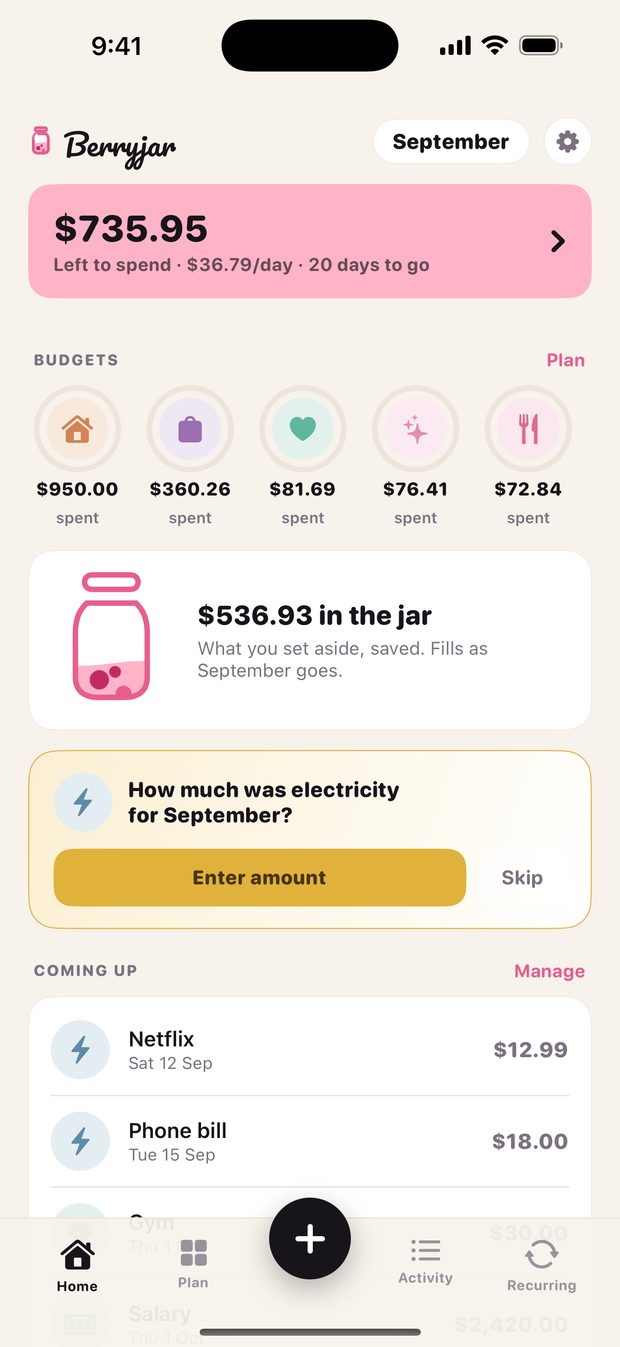
Rent, Netflix, the phone bill. Handled.
Set a recurring item once and it logs itself on the day. For the ones that change, like electricity, Berryjar just asks "how much was it?" and moves on. Nothing gets forgotten, nothing gets double-counted.
Log a few spends. Then it's Jar Day.
This is the real loop. Pick a category, tap an amount, watch what's left to spend move. When the month ends, whatever you didn't spend gets swept into the jar. That's the whole idea.
It's a small demo, not the app. Nothing you type here is saved.
Built for people who hate budgeting apps.
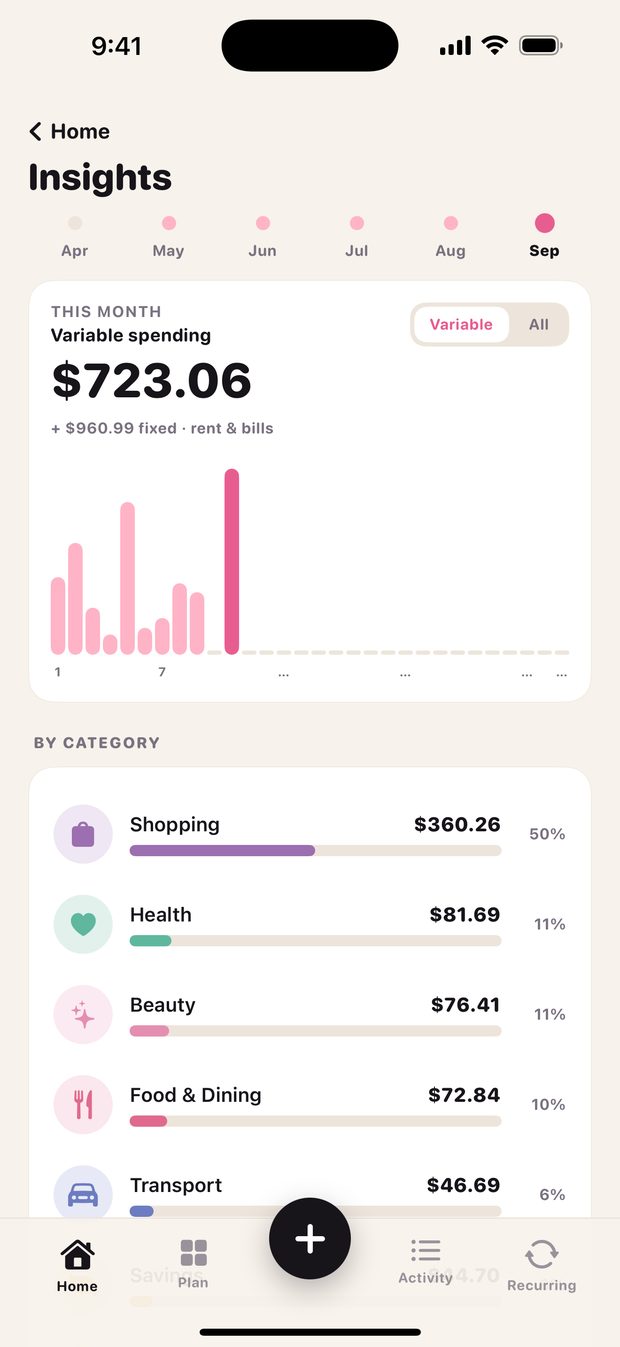
See where it actually goes.
Fixed bills are split from the spending you can change, so the number on the home screen is money you can really use. Rings fill as the month goes. No guilt, no red alerts.
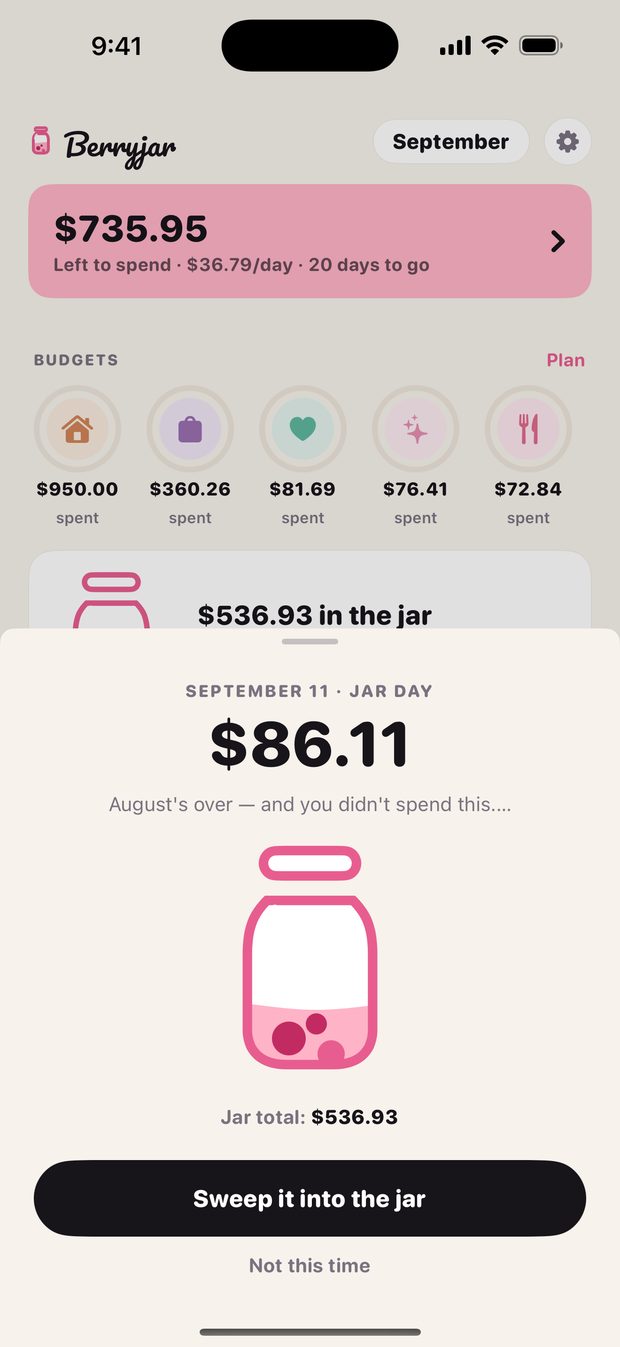
Leftovers become savings.
When the month closes, Berryjar shows you what you didn't spend and offers to sweep it into the jar. One tap. Watching it fill is the part people screenshot.
Your money stays on your iPhone.
No bank connection, no sign-up, no cloud. Everything you type lives on your device, and Berryjar has no server that could ever see it. There is nothing to leak.
Try it free for a week. Or buy it once.
Seven days free, then $34.99 a year. Prefer to own it? Lifetime is a one-time $49.99 and you never think about it again. You always see the full price before anything is charged.
FAQs
What is Berryjar?
A budgeting app for iPhone that you log by hand, on purpose. You type what you spent, your recurring bills log themselves, and at the end of the month the money you didn't spend goes into a savings jar. It's built to feel calm instead of like a spreadsheet with a login.
Does it connect to my bank?
No, and that's deliberate. Bank sync means handing a third party your login, waiting days for transactions to show up, and cleaning up mislabeled entries. Two taps at the register is faster and it keeps your money data on your phone.
What is Jar Day?
The day your month closes. Berryjar adds up what you had left to spend and offers to sweep it into your jar. You can say "not this time." The jar is a running total of everything you've swept, and it only goes up.
What about bills that change every month?
Mark them as "varies." On the day, Berryjar asks "how much was it?" on the home screen, you type the number, and it's logged. Skip it and it asks again later.
What does Pro cost?
Seven days free, then $34.99 a year, or $6.99 a month. If you'd rather not have a subscription, Lifetime is a one-time $49.99. Everything is handled by Apple through the App Store and you can cancel from your Apple ID settings any time.
Is it on Android?
Not yet. Berryjar is iPhone only for now.

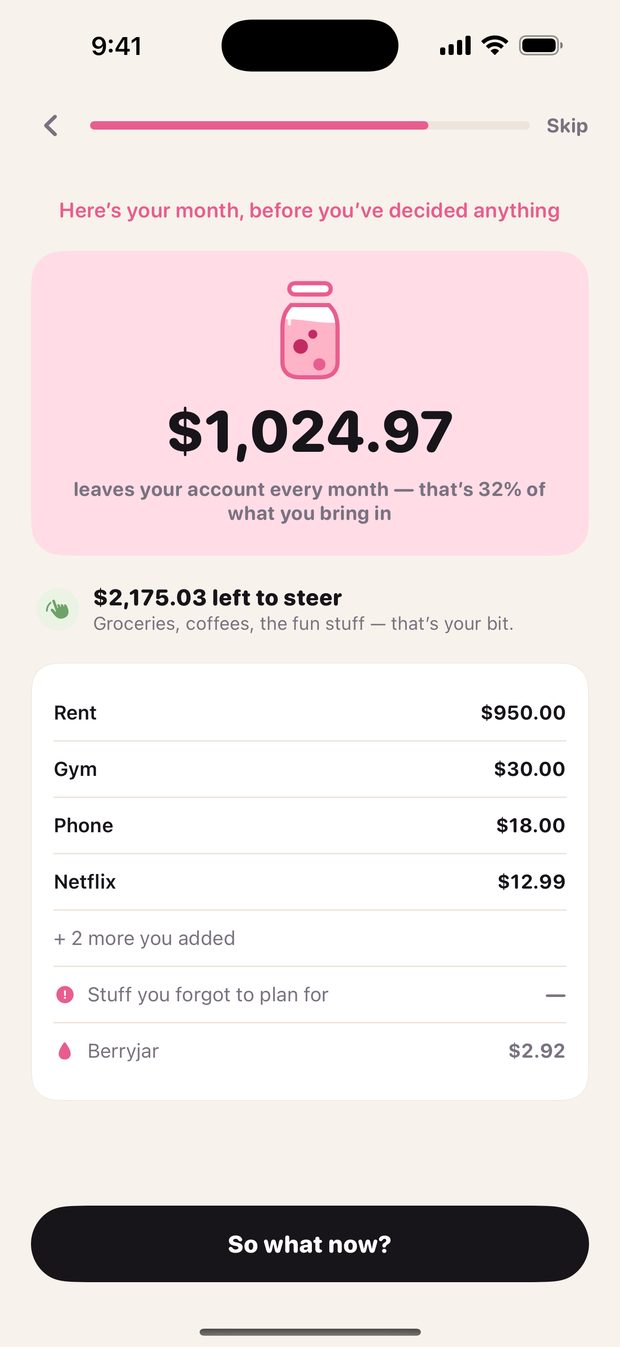
Your month, before you've decided anything.
Berryjar is coming to the App Store. Say hi and we'll let you know the day it lands.
Say hi